



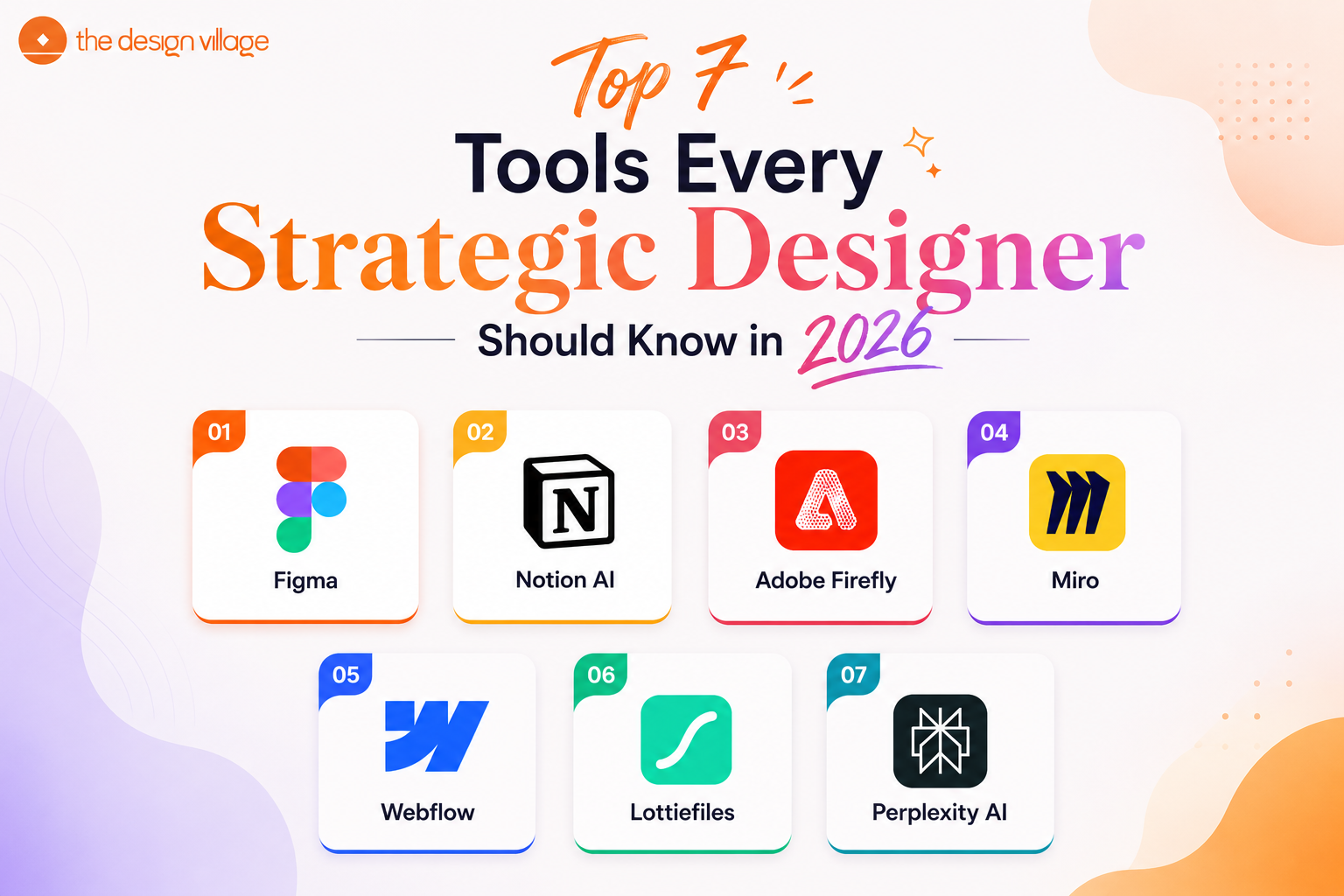
Why Your Toolkit Matters More Than Ever in 2026 ?
Strategic design in 2026 is no longer just about creating visually appealing work. It’s about solving real-world problems through research, creativity, collaboration, and technology-driven thinking. This shift is also influencing how students choose the best design colleges in Delhi, where the focus is now on building practical skills, innovation, and industry-ready design expertise.
Today, what truly sets great designers apart is not just creativity alone, it’s the ability to use the right tools and strategies to turn ideas into meaningful and impactful solutions.
The 7 Smartest Tools Strategic Designers Are Using Right Now
1. Figma (Still the GOAT — Now with AI Built In)
If you haven’t explored Figma yet, now’s the time. What started as a popular UI/UX design tool has become much more powerful in 2026. With AI-powered suggestions, smarter auto-layouts, and smooth real-time collaboration, Figma now helps teams design, brainstorm, and work together faster than ever.
For strategic designers, one of the most useful features is FigJam — Figma’s interactive whiteboard tool. It makes it easier to plan ideas, map user journeys, run workshops, and explain strategies with your team or clients. Instead of making the design process feel confusing or scattered, FigJam helps keep everything clear, organised, and collaborative.
Why you need it:
- Real-time multi-user editing (perfect for remote teams)
- Prototyping + handoff in one place
- Massive plugin ecosystem
- AI-assisted layout and component suggestions
2. Notion AI — Your Second Brain for Design Projects
Strategic design involves a lot of documentation — research notes, brand briefs, project timelines, client feedback. Notion AI has turned what used to be a note-taking app into an intelligent project management system that actually helps you think.
In 2026, Notion AI can summarize research, draft design rationale documents, generate briefs from rough ideas, and even help you structure a presentation narrative. For students and early-career designers, it’s like having a smart senior designer in your pocket — one who never judges your half-formed thoughts.
What it’s great for:
- Organizing design research and insights
- Writing project briefs and case studies
- Automating repetitive documentation
- Sharing team wikis and design systems documentation
3. Adobe Firefly — Generative AI That Actually Respects Creative Intent
Generative AI tools are everywhere in 2026, but most of them feel like they’re replacing the designer rather than empowering one. Adobe Firefly is different — it’s built specifically for creative professionals and trained on licensed content, so there are no intellectual property headaches.
For strategic designers, Firefly is a rapid ideation engine. You can go from a rough concept brief to a mood board, a set of visual directions, or even a brand visual language in hours instead of days. It integrates directly with Photoshop and Illustrator, meaning your workflow doesn’t get broken.
Best use cases:
- Rapid visual concept exploration
- Generating placeholder assets for presentations
- Creating texture, pattern, and background variations at scale
- Expanding or editing photography for campaigns
4. Miro — The Strategy Board That Never Runs Out of Space
If Figma is where design lives, Miro is where strategy is born. In 2026, Miro has become the go-to platform for design thinking workshops, service blueprints, systems mapping, and stakeholder alignment sessions.
What sets it apart is how it handles complex, non-linear thinking. Strategic design often involves mapping ecosystems, drawing connections between touchpoints, and building frameworks that aren’t just pretty but functional. Miro’s infinite canvas and its library of templates (design sprints, customer journey maps, empathy maps) make it the perfect thinking space.
Many top design institutes, including The Design Village, actively build collaborative and systems-thinking skills that Miro is built for — so learning it early gives you a real head start.
Why strategic designers love it:
- Built-in design sprint and workshop templates
- Connects with Figma, Jira, Slack, and more
- Great for presenting live strategy to clients
- AI-powered cluster and summarize features in 2026
5. Webflow — Design That Ships Without Needing a Developer
Here’s the truth nobody told you in design school, knowing how to build what you design is a superpower. Webflow bridges the gap between design and development without you having to write a single line of code — and in 2026, it’s more powerful than ever.
For strategic designers working on brand experiences, marketing sites, or digital campaigns, Webflow means you’re not stuck in a hand-off loop. You design it, you build it, you launch it. That autonomy changes how you work, how fast you move, and how much clients trust you.
What makes it stand out:
- Visual-first, no-code web development
- CMS features for content-heavy projects
- Built-in SEO controls and responsive design tools
- Huge community with templates and tutorials
6. Lottiefiles — Because Motion Design Is Now a Basic Expectation
Still designing in flat, static layers? In 2026, motion has moved from nice to have to the baseline expectation for digital design. Lottiefiles lets you create, share, and implement lightweight animations — and it works seamlessly with After Effects and even Figma.
Strategic designers use motion not just to make things look cool, but to guide attention, communicate hierarchy, and create emotional resonance. A well-placed micro-animation can do more for user trust than paragraphs of copy. Lottiefiles makes that accessible even if you’re not a full-time motion designer.
When to reach for it:
- Onboarding animations and empty states in apps
- Animated icons and illustrations for digital products
- Adding life to brand identity presentations
- Social media content and digital campaigns
7. Perplexity AI — The Research Tool That Designers Are Sleeping On
Every great design strategy starts with deep research. Perplexity AI has become the go-to research assistant for designers who need fast, cited, contextual information without wading through ten browser tabs. Unlike generic chatbots, it pulls real-time sources and gives you referenced answers — which means you can actually trust what you’re reading.
For strategic designers working on brand strategy, service design, or social impact projects, understanding context — cultural, economic, behavioral — is everything. Perplexity helps you move from “I wonder…” to “Here’s what the evidence says” in minutes.
How designers use it:
- Competitive landscape research
- Understanding user psychology and behavioral trends
- Exploring cultural and market context for brand projects
- Fact-checking and validating strategic assumptions
The Bigger Picture: It’s Not About the Tools, It’s About the Thinking
Here’s something worth sitting with. No tool on this list makes you a strategic designer. What makes you one is the mindset, the ability to look at a problem, understand its layers, and create solutions that work across systems, not just screens.
These tools simply make that thinking faster, sharper, and more collaborative. Think of them as extensions of your creative intelligence, not replacements for it.
The designers who will lead in 2026 and beyond aren’t the ones who know every tool — they’re the ones who know why they’re using each one. Be that designer.
FAQs
What tools do strategic designers use in 2026?
Strategic designers commonly use Figma, Miro, Notion AI, Webflow, Adobe Firefly, and AI-based research tools for collaboration, prototyping, and design strategy. Many students pursuing an MDes Strategic Design course in Delhi NCR are now trained on these industry-standard tools.
Is Figma still relevant in 2026?
Yes, Figma remains one of the most important tools for UI/UX, product design, collaboration, and prototyping in 2026. It is widely taught in the best design colleges in Delhi and modern design programs.
What is strategic design?
Strategic design focuses on solving business and user problems through creativity, innovation, research, and systems thinking, not just visual design. This approach is becoming a core part of every modern MDes course today.
Do strategic designers need coding skills?
Coding is not mandatory, but understanding digital products and no-code tools like Webflow can give strategic designers a strong career advantage in 2026.
Which design tool should beginners learn first?
Figma is usually the best tool for beginners because it is easy to learn and widely used across the design industry. Many students exploring the best design colleges in Delhi start with Figma as their foundation tool.


